
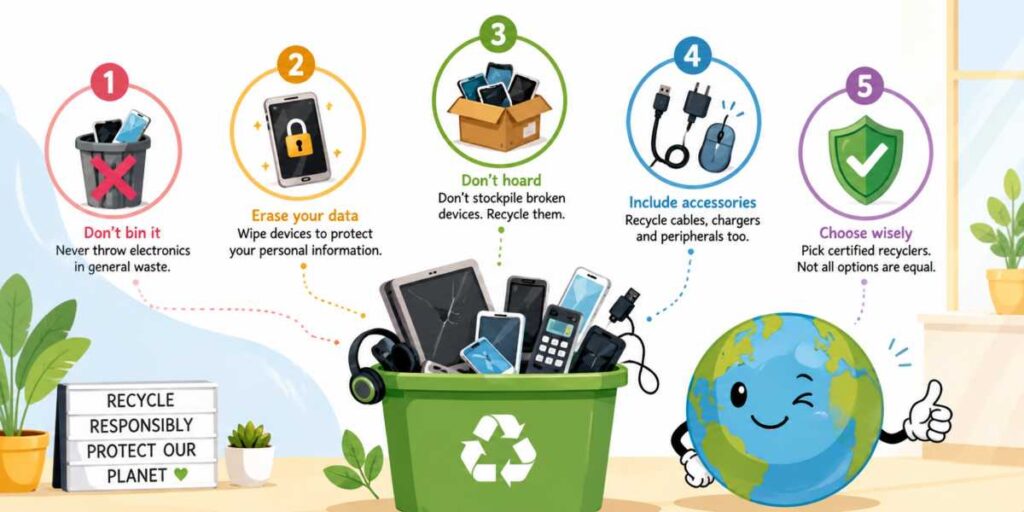
1. Tossing Electronics Into General Waste
Throwing old phones, chargers, tablets, keyboards, and mystery gadgets into the regular bin is one of the most common e-waste mistakes. It also happens to be one of the worst. Electronics can contain metals, batteries, plastics, and chemicals that should not end up buried in landfill with banana peels and pizza boxes.When e-waste is dumped carelessly, harmful substances may leak into soil and water. Some devices also contain valuable materials that can be recovered and reused. Your ancient phone may no longer run any apps without wheezing, but it still contains metals that recyclers can put back into circulation.
The better move is simple: use an approved e-waste drop-off point, retailer recycling program, council collection service, or certified recycler. Never assume “small” means harmless. Even tiny electronics deserve a proper exit interview.
2. Forgetting About Stored Data
Many people recycle or donate electronics without wiping personal data first. That is risky. Phones, laptops, tablets, hard drives, USB sticks, printers, and even some smart devices may store passwords, photos, documents, browsing history, account details, or network information.Deleting files is not always enough. A proper factory reset, secure wipe, or drive destruction may be needed, depending on the device. Businesses should be especially careful because old equipment may contain customer records, employee data, financial documents, or confidential files. One forgotten hard drive can cause a security headache big enough to need its own chair at meetings.
Before disposal, back up anything important, sign out of accounts, remove SIM and memory cards, unlink the device from cloud services, and wipe it properly. For damaged devices that cannot be powered on, use a recycler that offers secure data destruction and provides proof when needed.
3. Stockpiling Broken Devices Forever
Keeping one old phone as a backup is reasonable. Keeping twelve broken phones, three dead laptops, and a drawer full of cables that looks like robotic spaghetti is less reasonable.Stockpiling e-waste creates clutter, but it can also create safety risks. Old batteries may swell, leak, or become unstable over time. Devices stored in damp garages, hot cupboards, or overloaded drawers can deteriorate faster. That “I’ll deal with it later” pile can quietly become a small museum of bad decisions.
Many people postpone disposal because they think an old device might be useful someday. Occasionally that happens. More often, the technology becomes increasingly obsolete while collecting layers of dust thick enough to qualify for their own postcode.
A practical approach is to review unused electronics every few months. If a device has not been used in years and cannot realistically be repaired, sold, donated, or repurposed, it is probably time for responsible recycling. Acting sooner also increases the chance that reusable components can be recovered effectively.
4. Ignoring Cables, Chargers, and Peripherals
When people think about e-waste, they usually picture phones, computers, and televisions. Meanwhile, cables, chargers, mice, keyboards, speakers, routers, and other accessories sit quietly in drawers escaping attention.These items are still electronic waste. Many contain plastics, copper, and other materials that can often be recycled through specialized programs. Throwing them into general waste means those materials are lost and may contribute unnecessarily to landfill volumes.
Some households accumulate astonishing collections of accessories. At some point, ownership of seven unidentified charging cables stops being preparation and starts becoming archaeology.
Before recycling, sort accessories into categories and determine which ones are still functional. Working items may be donated alongside compatible devices. Broken items should be taken to approved recycling facilities whenever possible.
A quick checklist can help:
- Gather loose cables and chargers from drawers and cupboards.
- Separate working accessories from damaged ones.
- Match useful accessories with devices being donated.
- Recycle damaged peripherals through approved e-waste channels.
- Remove batteries where required before disposal.
5. Assuming All Recycling Options Are Equal
Not every recycling service handles e-waste the same way. Some facilities follow strict environmental and security standards, while others may have weaker processes for material recovery, data protection, or hazardous waste management.This issue is particularly important for businesses and organizations that must comply with legal and regulatory obligations. Choosing an unsuitable recycler can expose companies to unnecessary environmental, reputational, and compliance risks.
Take time to research disposal providers before handing over equipment. Look for recognized certifications, transparent recycling practices, secure data-handling procedures, and clear information about where materials are processed. Reputable recyclers should be willing to explain their methods and answer questions.
Responsible e-waste management is about more than simply getting rid of unwanted devices. It is about ensuring materials are recovered properly, sensitive information is protected, and environmental impacts are minimized.
Rebooting Better Habits
Most e-waste mistakes happen because disposal seems like a small task that can wait until tomorrow. Unfortunately, tomorrow has a habit of turning into three years and a cupboard full of obsolete gadgets. By keeping electronics out of general waste, protecting stored data, avoiding long-term stockpiles, recycling accessories, and choosing reputable recycling services, it becomes much easier to reduce environmental impact while avoiding security and legal problems. A little effort at the end of a device’s life can make a significant difference long after its screen has gone dark.Article kindly provided by woodstead.uk