
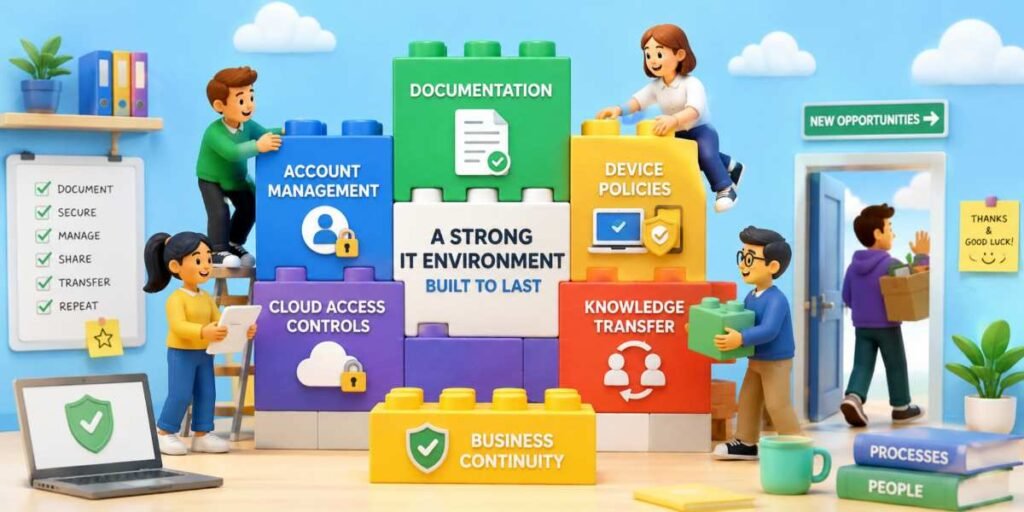
Employee turnover is normal. Panic should not be. When a key staff member leaves, the business should not suddenly lose access to billing systems, cloud storage, customer records, device settings, or the mysterious server under Gary’s desk that hums like a small fridge. For small and medium-sized businesses, this matters even more because critical knowledge often sits with a handful of people. Sometimes, it sits with one person who is currently on holiday and “not checking messages.”
Documentation That People Can Actually Use
Good documentation is not a 97-page document last updated during the reign of Windows 7. It should be clear, searchable, current, and written for the next person who has to keep things running under pressure.Every business should maintain records of key systems, software licenses, network diagrams, support contacts, renewal dates, admin procedures, backup processes, and recovery steps. This does not need to be beautiful. It needs to be accurate. A plain guide that says “restart this service first” is worth more than a polished manual that explains nothing useful.
The best documentation answers simple questions quickly. Who owns this system? Who has admin access? What breaks if it goes offline? How do we restore it? Where are backups stored? Who should be contacted when something fails? These answers should live somewhere controlled, not in someone’s inbox, private notebook, or brain, which remains a terrible long-term storage platform.
Account Management Without Guesswork
Shared passwords and mystery admin accounts are convenient until someone leaves. Then they become a business risk wearing a fake moustache.Each employee should have their own account, tied to their role, with permissions based on what they actually need. Admin rights should be limited, reviewed regularly, and removed immediately when no longer required. Businesses should also use multi-factor authentication wherever possible, especially for cloud platforms, finance tools, email, and remote access systems.
A proper offboarding checklist is essential. It should cover email access, cloud storage, password managers, business apps, VPN accounts, device returns, forwarded messages, ownership transfers, and shared folders. Without this, offboarding becomes an awkward scavenger hunt, except the treasure is access to payroll and nobody is having fun.
Device Policies That Reduce Surprises
Laptops, phones, and tablets often contain far more business information than many owners realize. When employees leave, those devices should not become digital mystery boxes that nobody knows how to unlock or manage.Clear device policies help prevent this problem. Every company-owned device should be enrolled in a centralized management system whenever possible. This allows administrators to enforce security settings, deploy software, track assets, and remotely lock or wipe devices when necessary.
Businesses should also maintain an up-to-date inventory of hardware. Knowing who has which device, when it was issued, and what software is installed makes transitions far smoother. Without an inventory, replacing a departing employee can feel like reconstructing a puzzle after someone has hidden half the pieces in different drawers.
Personal devices used for work deserve attention as well. Bring-your-own-device arrangements should include clear policies regarding security requirements, business data storage, and access removal procedures. Good intentions are not a substitute for controls.
Cloud Access Controls That Keep Order
Cloud services have transformed business operations, but they have also created new opportunities for access sprawl. Over time, employees gain permissions, join groups, receive temporary access, and accumulate privileges that nobody remembers granting.Role-based access control helps solve this issue. Rather than assigning permissions individually, businesses can create roles aligned with job functions. When employees join, move positions, or leave, administrators can adjust access quickly and consistently.
Regular access reviews are equally important. Managers should periodically verify who can access critical systems and whether that access is still justified. This is especially valuable in smaller organizations where rapid growth often outpaces formal processes.
Cloud platforms should also provide centralized logging and auditing. If a problem occurs, the organization needs visibility into who accessed what, when, and from where. Investigating incidents becomes significantly easier when the answer is available in a report instead of requiring three meetings and a whiteboard covered in arrows.
Knowledge Transfer Before the Goodbye Email
One of the biggest risks during employee turnover is the loss of institutional knowledge. Systems may continue operating, but understanding why they were configured a certain way can disappear overnight.Knowledge transfer should be treated as an ongoing process rather than a last-minute activity. Cross-training staff members, maintaining process guides, recording key procedures, and encouraging collaboration all reduce dependency on specific individuals.
When an employee announces their departure, structured handover sessions can be invaluable. These discussions should cover active projects, recurring tasks, vendor relationships, system quirks, undocumented workarounds, and areas of concern. Questions that seem minor today often become urgent two months later.
Organizations that encourage knowledge sharing throughout the year are far less vulnerable than those that rely on exit interviews to capture everything. No one remembers every detail while simultaneously clearing their desk and wondering whether they packed the phone charger.
Keeping the Business Logged In
An IT environment that survives employee turnover is not built through luck. It is built through documentation, disciplined account management, sensible device controls, carefully managed cloud access, and continuous knowledge sharing.For SMEs, these practices provide more than security. They create resilience. When key employees move on, the business can continue serving customers, supporting staff, and operating critical systems without major disruption. The goal is simple: no single departure should leave the company staring at a login screen while wondering who knew the password and where they went.
Article kindly provided by as-cs.co.uk